How to log baby feeds, sleep and diapers hands-free on iPhone
Published 10 October 2026 · Đào Văn Thương · 5 min read
To log baby feeds hands-free on an iPhone, use the parts of iOS that work without unlocking: a Lock Screen widget that shows the last feed, a timer you control from the Lock Screen, Siri, and on iOS 18 a Control Center or Action button control. Baton: Baby Tracker has all of these, and all of them are free.
At 3 AM you are holding a baby, the room is dark and one hand is busy. Unlocking the phone, finding the app and tapping through three screens is exactly when logging gets skipped. This guide goes through each shortcut, how to set it up, what it can and cannot do, and which iOS version it needs.
Which hands-free options does an iPhone give you?
- Widgets: Home Screen widgets can hold buttons, and Lock Screen widgets show information at a glance (iOS 16 and later).
- Live Activities: a running timer shown on the Lock Screen and in the Dynamic Island, with buttons you can tap without opening the app.
- Siri and Shortcuts: an app can offer spoken phrases. They need the app's name in the sentence.
- Controls (iOS 18 and later): small buttons for Control Center, the Lock Screen and, on iPhones that have one, the Action button.
None of this depends on the app being open. What differs between apps is how many of these they support, so check before you rely on one at night.
How do I see the last feed without unlocking?
Baton has Lock Screen widgets in three shapes (circular, rectangular and inline) that show the time since the last feed. To add one:
- 1Touch and hold the Lock Screen until it starts to wiggle, then tap Customize and choose Lock Screen.
- 2Tap the area under the clock, or the line above it for the inline one.
- 3Pick Baton and choose a shape.
The time counts on its own, so the widget does not need to refresh every minute. When the other parent logs a feed, it shows up after the phone syncs, which is not always instant. For a Home Screen widget, touch and hold an empty spot, tap the plus button and search for Baton. The medium widget has three buttons: log a wet diaper, start a feed on the next side, and start or stop sleep.
How do I run a feed or sleep timer from the Lock Screen?
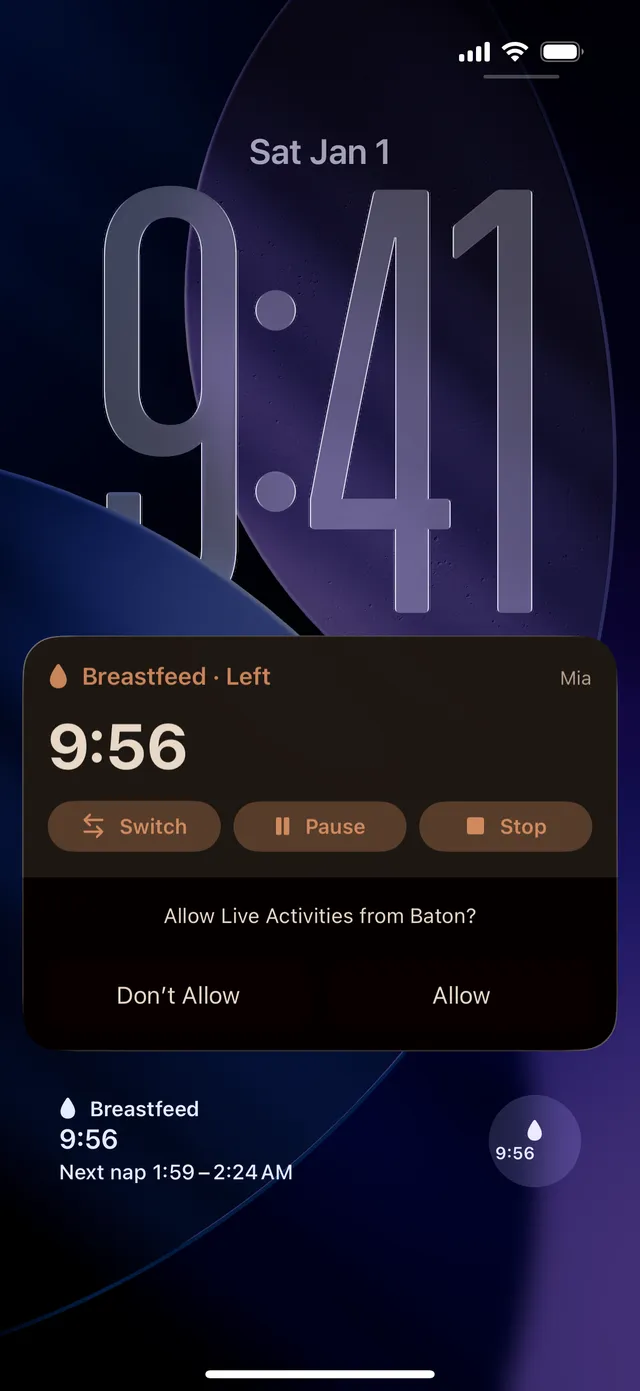
When you start a feed or sleep timer in Baton, it shows on the Lock Screen as a Live Activity with a running clock. For a breastfeed it has three buttons: Switch (the other side), Pause and Stop. Tap Stop and the entry is saved with the real duration.
- The first time, iOS asks whether to allow Live Activities from Baton. Say Allow, or turn it on later in Settings.
- Live Activities appear on the phone that started the timer. The other parent sees the running timer inside the app.
- iOS can end a Live Activity that runs for many hours, so a sleep timer that was left on does not stay up forever. Open the app and check.
What can I log with Siri?
Baton adds ready-made phrases to Siri, Shortcuts and Spotlight. You say the app's name, Baton, in the sentence. In English the phrases include:
- "Start breastfeeding in Baton" (or "Start breastfeeding on the left in Baton"), and "Stop breastfeeding in Baton".
- "Log a bottle in Baton". Siri then asks how much was in it.
- "Log a diaper in Baton", or "Log a wet diaper in Baton" (wet, dirty or both).
- "Start sleep in Baton" and "Baby woke up in Baton".
- "When did the baby last eat in Baton". Siri says how long ago and, if your partner logged it, who did.
Siri logs for the baby that is selected in the app. If you have more than one child, check which one is showing before you rely on it. Siri itself does not speak Vietnamese, so Vietnamese phrases are for the Shortcuts app and Spotlight. Always test a phrase once in daylight, then look at History to see that it landed.
What are the iOS 18 controls?
On iOS 18 and later, Baton offers two controls: a sleep toggle that shows whether a sleep timer is running, and a button that logs a wet diaper. To add one:
- 1Open Control Center, touch and hold an empty spot (or tap the plus button at the top left) and tap Add a Control.
- 2Choose Baton and pick the sleep or diaper control.
- 3For the Lock Screen, tap Customize on the Lock Screen and replace one of the two buttons at the bottom.
- 4On an iPhone with an Action button, open Settings › Action Button, choose Controls and pick the Baton control.
A control only runs that one action, so the diaper button is always a wet diaper. For a dirty or mixed one, use Siri or the app.
How do I set up a one-handed night routine?
- 1Put the Baton control for sleep and the one for diapers on the Lock Screen, or the Action button if you have one.
- 2Add the rectangular widget so the last feed is visible at a glance.
- 3Start the feed timer from the app or Siri and use the Live Activity buttons to switch sides and stop.
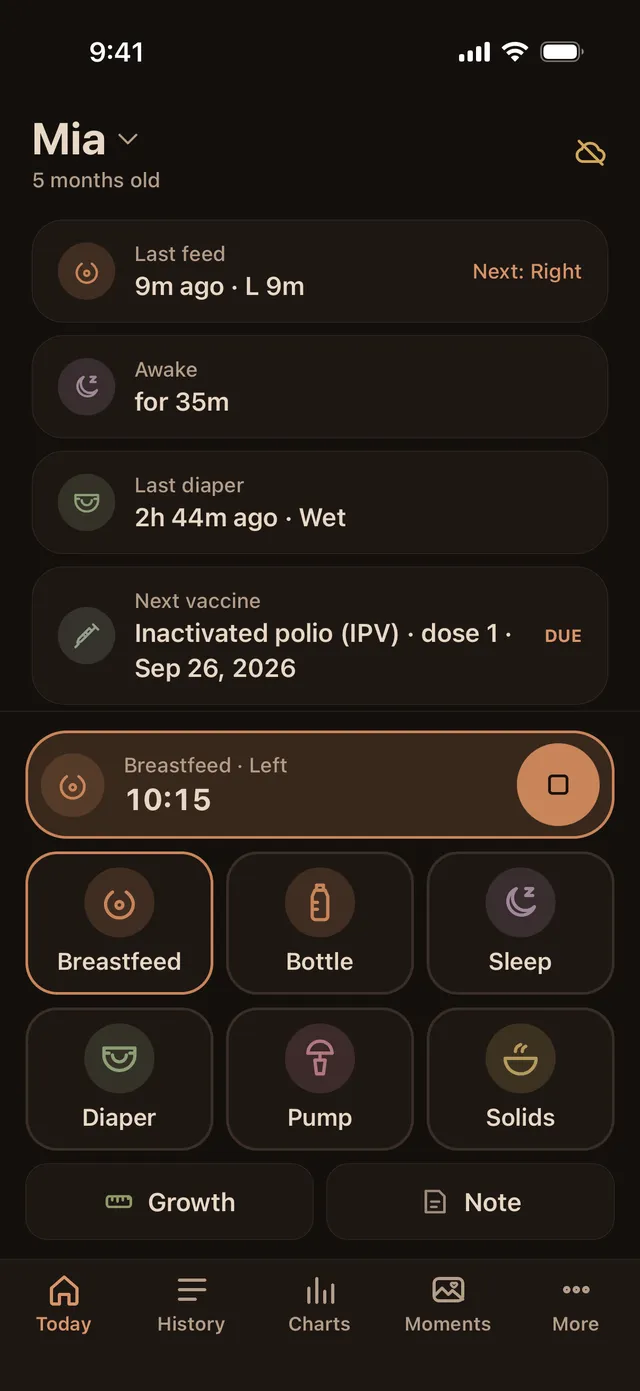
- 4Turn on Baton's night mode, which is a dim, warm theme with the large log buttons in the bottom half of the screen.
- 5Every morning, glance at History. If a night entry is missing, add it by hand with its real time; the app lets you edit the time.
Whichever way you log, the point is a record you can both read. If you have worries about feeding, sleep or diapers, show the log to your pediatrician and let them interpret it.
What is free, and what stays private?
- Free: the widgets, the Live Activity buttons, Siri and Shortcuts phrases and the iOS 18 controls. They do not need Baton Plus.
- Private: Baton has no account. A log made by a widget, a control or Siri is stored on your phone and in your own iCloud, the same as one made in the app, and it shares with your partner through their iCloud.
- Plus is optional. Prices and what renews are in the Pricing section on the home page.
Frequently asked questions
- Can I log a baby feed without unlocking my iPhone?
- Yes, with the right setup. Siri phrases, a Live Activity's buttons, widget buttons and iOS 18 controls can all log without opening the app. Whether the phone must be unlocked for some of them depends on your Face ID settings and iOS version, so test each one.
- Does Siri work with Baton for feeds, diapers and sleep?
- Yes, in English and the other supported languages except Vietnamese. Say the app's name in the phrase, for example "Start breastfeeding in Baton" or "Log a diaper in Baton". Siri does not speak Vietnamese, so Vietnamese phrases work in Shortcuts and Spotlight.
- Does the Lock Screen timer show on my partner's phone?
- The Live Activity appears on the phone that started the timer. The partner sees the running timer in the app, and the entry itself syncs through iCloud.
- Which iOS version do I need for Lock Screen controls?
- Lock Screen widgets and Live Activities work on the iOS versions Baton supports. The Control Center, Lock Screen and Action button controls need iOS 18 or later.
- Is hands-free logging free in Baton?
- Yes. Widgets, Live Activities, Siri and Shortcuts, and the iOS 18 controls are part of the free app.